From a specification to a story map
See also: Ticket Museum, Coding agents
You have a specification, a plan or a pile of research. A model will turn it into stories in a minute. Mainline lets it propose them, and leaves the deciding to you.
What it does
A model reads your document and writes a Mainline file: a list of proposed stories. Each one says where in the document it came from, why it matters, where it might sit on the map, and how it might be checked. You upload the file to the Ticket Museum, where each proposal waits as an exhibit marked as proposed.
Nothing becomes a story, and no draft becomes a scenario, until a person reads it and promotes it.
Mainline never calls a model. You use the one you already have.
The loop
- Copy the instructions from the museum.
- Give them to a model with your document.
- Upload the file it writes.
- Review each proposal: promote it, send it to storage or leave it on display.
- Send corrections back and upload the revised file.
1. Copy the instructions
In the Ticket Museum, choose Acquire, then A Mainline file, and press Copy instructions. They explain how to break work into stories, show an example and include the schema the file must pass.
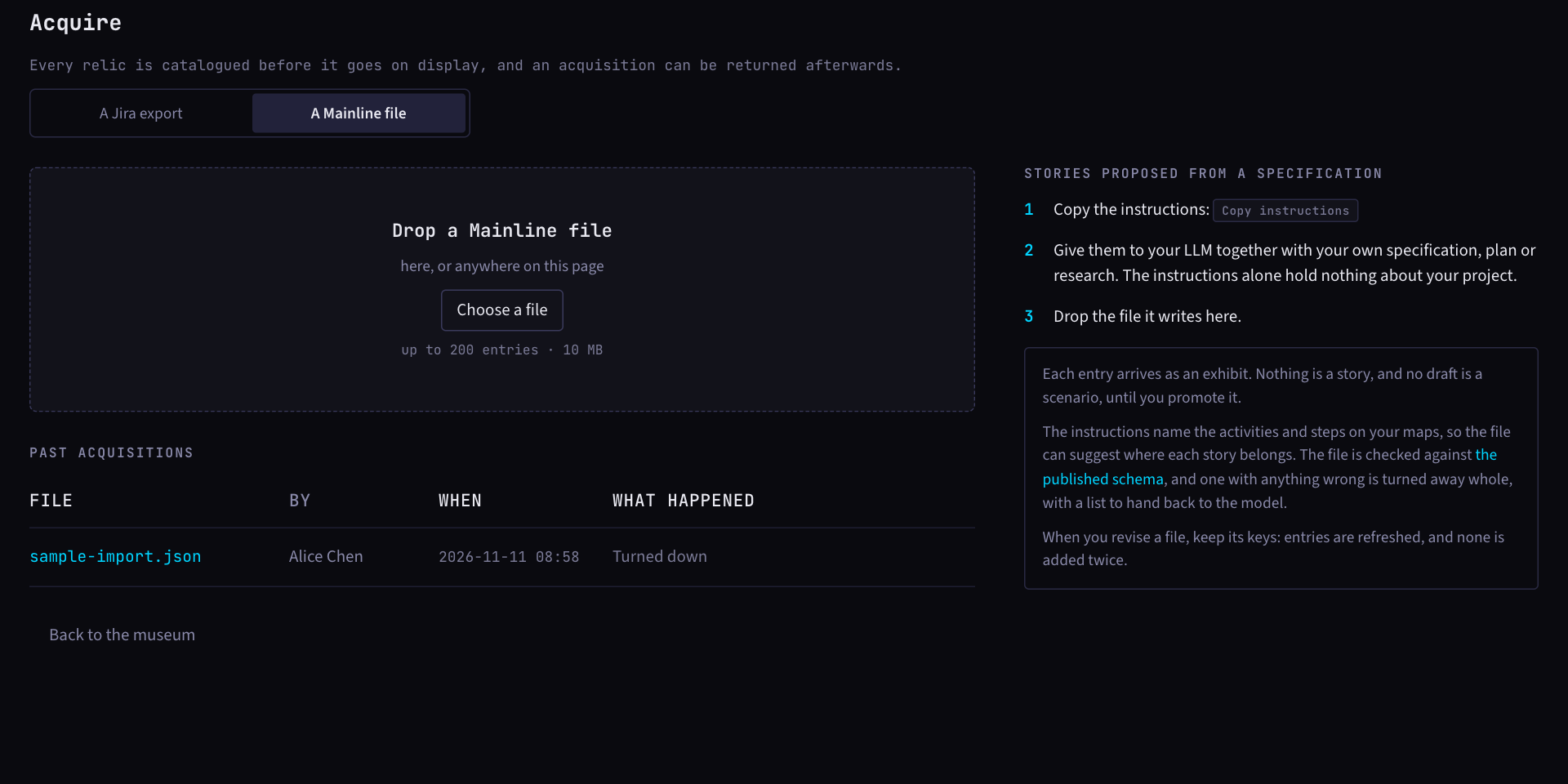
If your team already has maps, the instructions list their activities and steps, so the model can suggest places that exist.
A coding agent connected over MCP can ask for the same text with
get_import_format. See Coding agents.
2. Give them to a model
Paste the instructions and attach your document. The instructions hold nothing about your project, and a model given no document is told to ask for one. Any model that can write JSON will do: a chat window, a coding agent or one running on your own machine. Ask for a file, not a reply.
Save the file as the JSON alone. A chat window prints it inside a code fence, and a file saved with the fence round it is turned away.
Two things help. Give it a document that says what people can do with the product, not how it is built. And tell it which part comes first. A file holds at most 200 entries.
3. Upload the file
Drop the .json file on the acquire page, or anywhere on it. Mainline checks it first. A file that passes is staged: nothing has entered the museum yet, and a staged file left alone is turned down after 24 hours. The preview shows:
- how many exhibits it would add, how many it would refresh and how many it would leave as they are
- the map it proposes: activities and steps, each with a tick, and the personas each activity is for
- a sample of the first ten exhibits
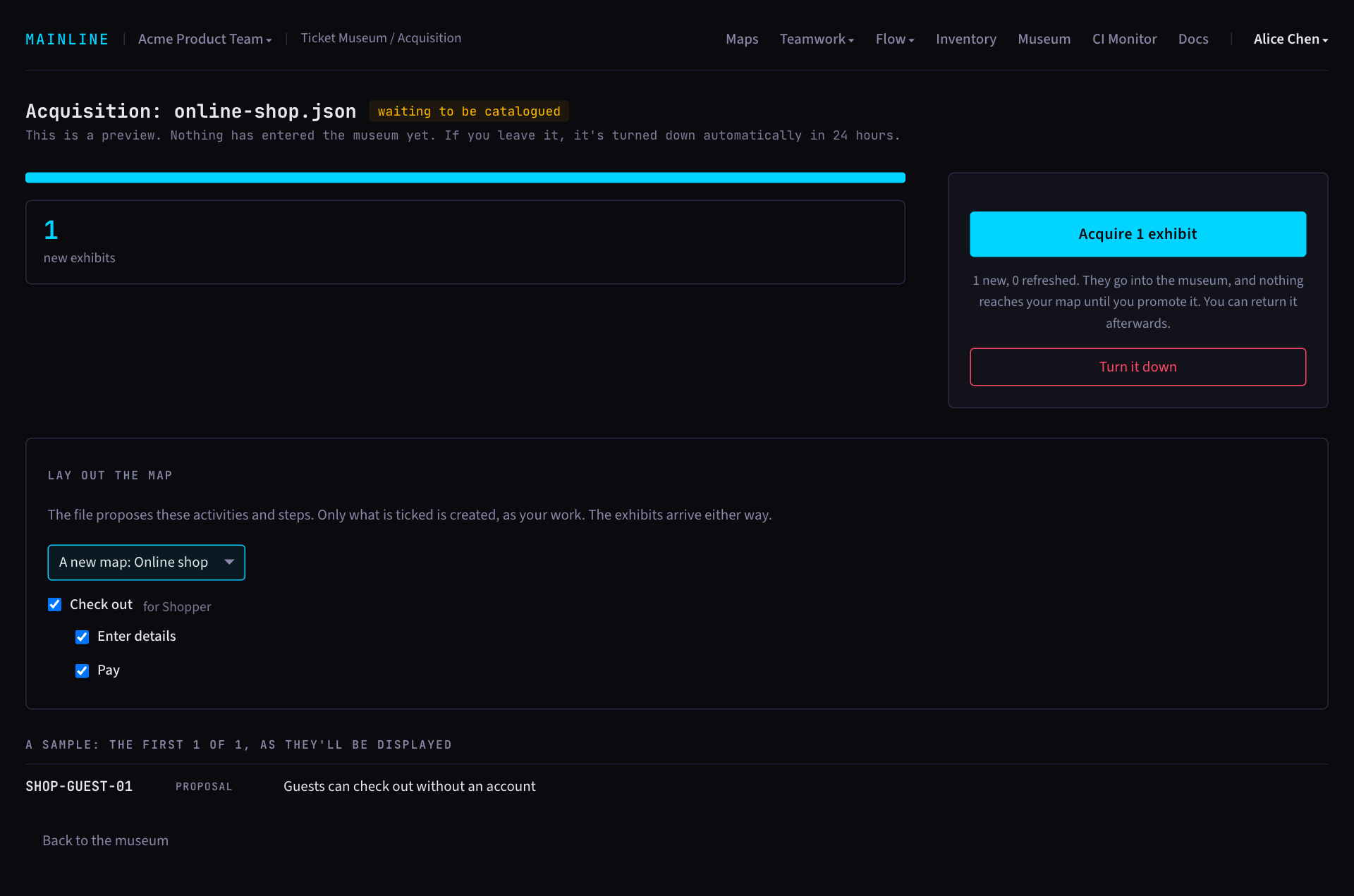
Choose a new map or one your team already has. Untick any activity or step you do not want. Only what is ticked is created, and the exhibits arrive either way. Then press Acquire.
4. Review what it proposed
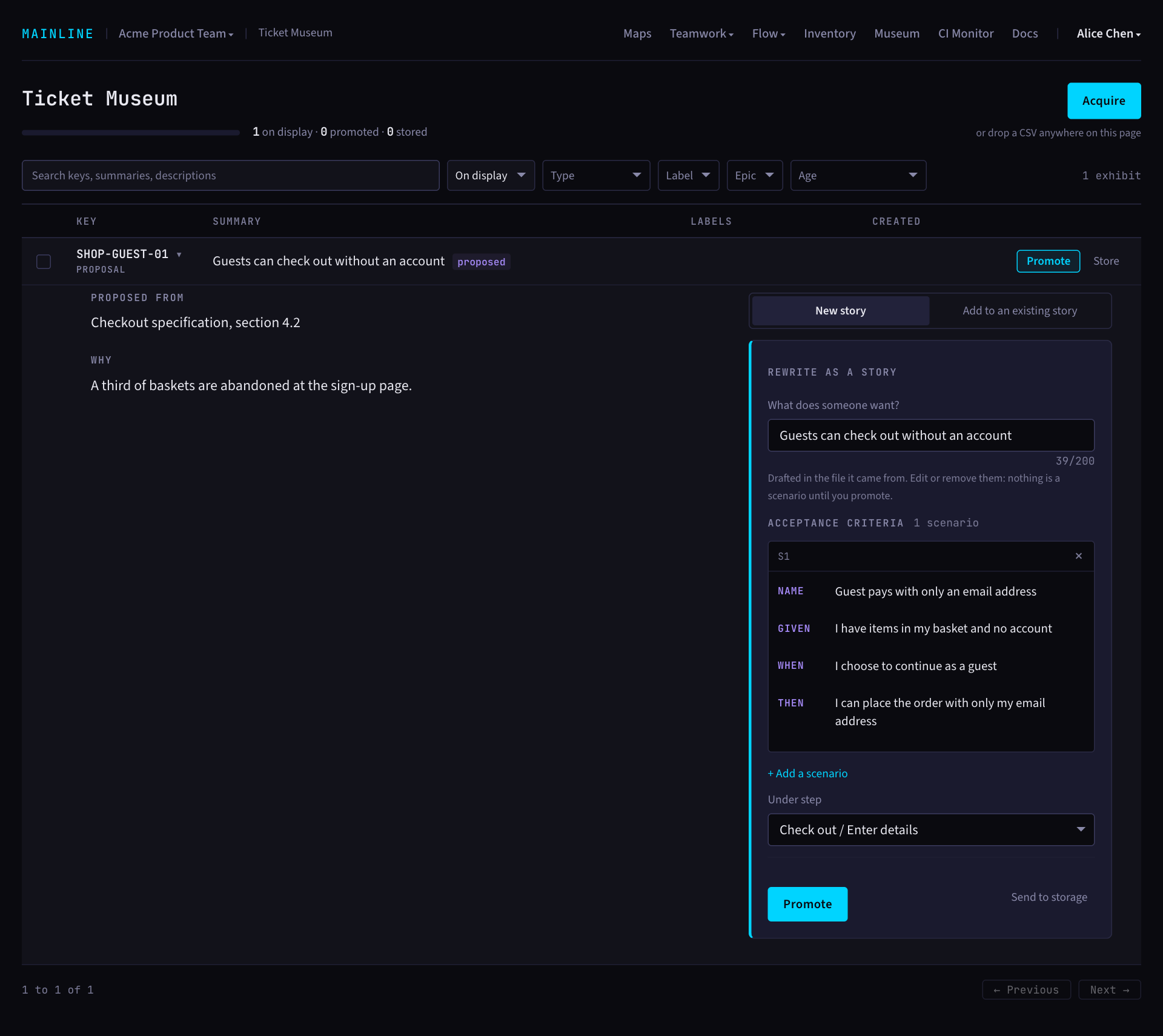
This is the part that matters. Open an exhibit and read where it was proposed from and why. Check them against your document. Then choose:
- Promote. The form opens with the suggested title, step and draft scenarios filled in. Edit them until each scenario says what you would really check. If the suggested step is not on the map, you pick one. Promoting makes it a story.
- Send to storage. It leaves the display and can be brought out again.
- Leave it. It stays on display in the museum.
Signs a proposal is not a story yet:
- It names a layer or a task, such as "Add an API endpoint".
- It could not be released on its own.
- It needs more than five scenarios. That is two stories.
- Its scenarios only restate its title.
- The document does not say what the entry claims it says.
Promote in the order you would build, thinnest working version first. You do not have to promote everything. What stays in the museum costs nothing.
5. Revise
Tell the model what was wrong and ask for a revised file. The instructions tell it to keep every entry's key, so acquiring the new file refreshes the exhibits and adds none twice. An exhibit you have already promoted or sent to storage is left as it is.
When a file is turned away
A file with anything wrong is turned away whole, and nothing enters the museum. Mainline lists every problem as a sentence that names the entry and the field, such as:
Entry SHOP-GUEST-01, scenario 2 has no thenPress Copy problems, give the list to the model and ask it to correct the file.
A file is also turned away when it uses a key twice, uses a key that an exhibit from somewhere else already has, or was saved with a code fence round it.
Changing your mind
The latest acquisition can be returned. The exhibits it added leave the museum, and any it refreshed go back as they were. Anything you have promoted or stored since stays, and so does any map it laid out. Acquiring another file makes the earlier ones final.
The file
| Field | Required | Limit | What it is for |
|---|---|---|---|
mainline | yes | must be 1 | The version of the format |
map | with personas or activities | 100 characters | The story map these stories are for |
personas | no | 20, each 100 characters | The kinds of people the product is for |
activities | no | 30 | The proposed backbone, left to right |
activities: name | yes | 100 characters | What people do |
activities: personas | yes | at least 1, each listed under personas | Who does this activity |
activities: steps | no | 30, each 100 characters | The steps within it |
entries | yes | 1 to 200 | The proposed stories |
entries: key | yes | 50 characters, like SHOP-GUEST-01 | Yours to choose. Keep it when you revise |
entries: title | yes | 200 characters | The story, as what someone can do or see |
entries: source | yes | 255 characters | Where in the document it came from |
entries: why | no | 2,000 characters | Why it is worth building |
entries: suggested | no | activity and step, 100 characters each | A place on the map |
entries: draft_scenarios | no | 10. Aim for one to three | How it might be checked |
draft_scenarios: name | yes | 80 characters | What the scenario shows |
draft_scenarios: given, when, then | yes | 100 characters each | One short line each |
A file is at most 10 MB and may hold no other fields.
An example Mainline accepts:
{
  "mainline": 1,
  "map": "Online shop",
  "personas": [
    "Shopper"
  ],
  "activities": [
    {
      "name": "Check out",
      "personas": [
        "Shopper"
      ],
      "steps": [
        "Enter details",
        "Pay"
      ]
    }
  ],
  "entries": [
    {
      "key": "SHOP-GUEST-01",
      "title": "Guests can check out without an account",
      "source": "Checkout specification, section 4.2",
      "why": "A third of baskets are abandoned at the sign-up page.",
      "suggested": {
        "activity": "Check out",
        "step": "Enter details"
      },
      "draft_scenarios": [
        {
          "name": "Guest pays with only an email address",
          "given": "I have items in my basket and no account",
          "when": "I choose to continue as a guest",
          "then": "I can place the order with only my email address"
        }
      ]
    }
  ]
}
The file is checked against the published schema.
What it will not do
- Create stories on its own.
- Accept a scenario nobody has read.
- Call a model for you.
- Let an agent write to your map. MCP stays read-only.